

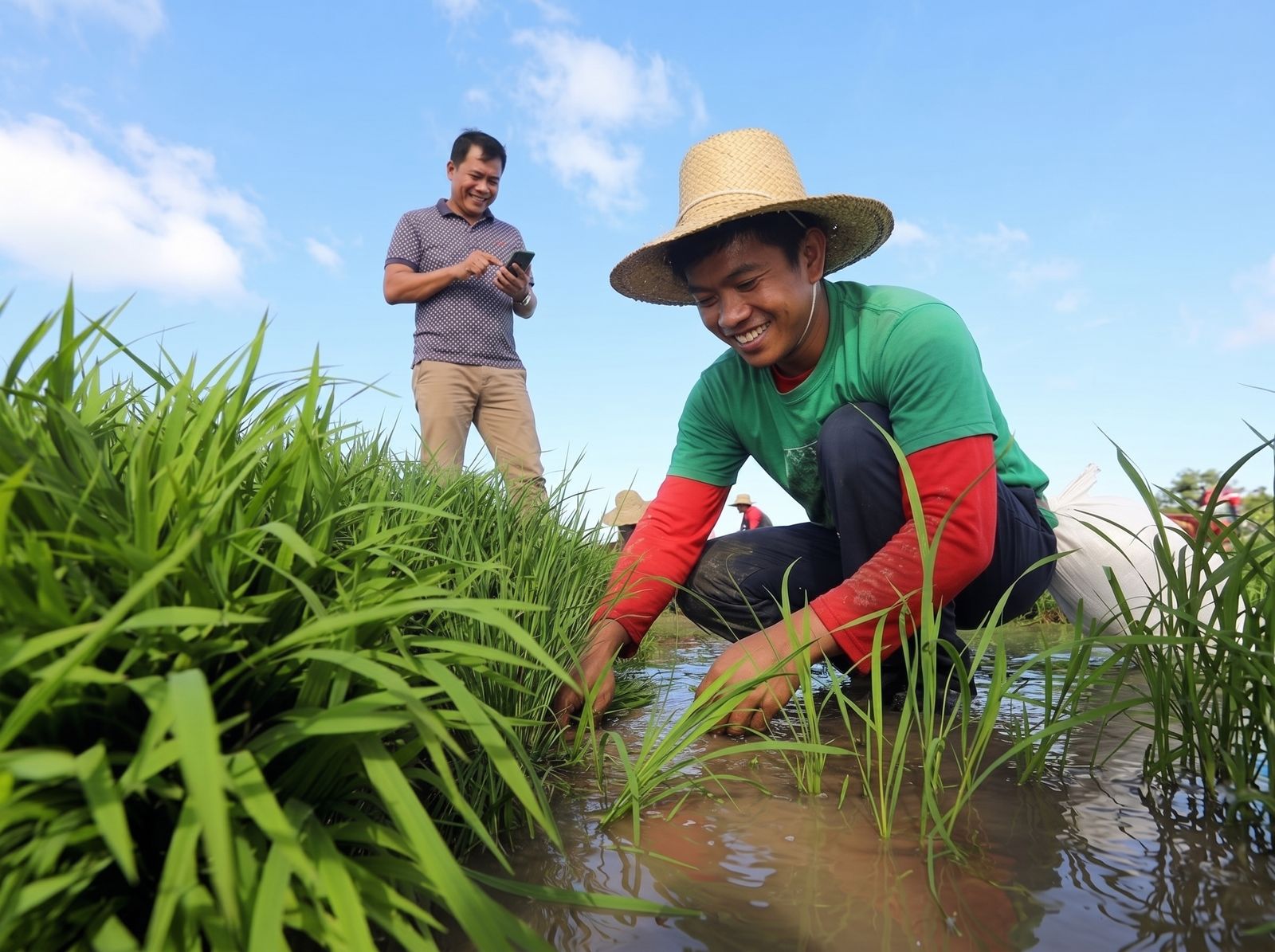
From Sign Up to Harvest, Step by Step
Your first season on anee.io in ten short steps, from a free account to the reports at the end. Nothing to pay to start.
-
1
Create your free account
Tap "Create your free account" and fill in your name, mobile number, email and a password. We send a link to your email: open it to confirm, and you are in. The Libre plan is free forever, so there is nothing to pay to start.
-
2
Start your first season
Open Cropping Schedules and tap New Cropping Schedule. Give the season a name, like "Wet Season 2026, San Isidro", and choose how its days are counted: DAS then DAT for rice sown and then transplanted, DAS for direct seeding, DAP for crops you plant, or tree age for an orchard. The season opens right away, with a checklist of what is still missing.
-
3
Add your lots
Add each field as a lot with its name, size, crop and variety, and set its day zero: the day it was sown or planted. Every task then falls on the right date for that lot, even when lots are sown a week apart. Libre has one lot per season, Solo Farmer five, and Farm Owner as many as you need.
-
4
Plan every task on the board
This is the heart of anee.io. Add each task on its day and lot: land preparation, sowing, fertilizer, sprays and harvest. Irrigation and hired services, like a tractor or a drone spray, go on the same board. Keep ideas as drafts and save versions to compare two plans. You can also write the whole season first in the Protocol Builder and make the season from it.
-
5
Add your workers and materials
On the Solo Farmer plan and up, add your workers with their daily rates, and stock the Inventory with your seed, fertilizer and sprays and what they cost. Put people and materials on each task, and the labor and material costs add themselves up.
-
6
Work the day from the board
Each morning, open today on the board and see every task on its lot. Tick it done, mark who worked, and add a photo or a voice note. Every tick is kept, so the record of your season builds up as you go.
-
7
Follow the growth stage and the weather
Each lot shows its growth stage today, what to do now and what to watch for, with the weather for your farm beside it, so a spray is not wasted on the day before the rain. Libre shows the weather for today and tomorrow, and the paid plans show the days after.
-
8
Ask Anee when something looks wrong
Send Anee a photo of the sick leaf and ask in Tagalog or English. She answers with your season in mind: the lot, its stage, the weather and what you already applied. Anee comes with Libre + Anee for ₱70 a month, and with every plan above it.
-
9
Write down the harvest
After harvest, open Observations and note each lot's yield, moisture, price and buyer. Next season you plan from real numbers, not from memory.
-
10
See what the season earned
Your records add up on their own. The Labor Report comes with every plan, and the Expenses and Profit reports and Anee's Season Report come with Solo Farmer and up. To share the plan, export it as a document or a presentation for your workers.
Free forever on Libre. No card needed.
Plans and payment
Start Free, Upgrade When You Need More
Every step above works on the free plan, except where it names a paid one.
One season with one lot, the board, notes, growth stages, weather for today and tomorrow, and the Labor Report.
Everything in Libre, plus Anee: chat with photos, the four analyses, and Realign by Anee.
Three active seasons with five lots each, workers, inventory, all the reports, full weather and offline mode.
No limit on seasons or lots, a login for each worker, and the Collab Room for your team.
How to pay for a plan
- In the app, open My Subscription and pick a plan, by the month or by the year.
- Scan the QR code shown and pay from any bank or wallet app. A ₱5 processing fee is added.
- Send a screenshot of the receipt on the same screen. Anee checks it in about a minute, and your plan starts right away. A bank transfer, or a reference number with no screenshot, is checked by a person, usually within 24 hours.
You get an email once it is approved. Nothing renews by itself, so you are never charged without knowing.
Common questions
Frequently Asked Questions
A screenshot of the receipt is the fastest: Anee checks it in about a minute and your plan starts right away. A bank transfer, or a reference number with no screenshot, is checked by a person, usually within 24 hours. You get an email once it is approved, so there is no need to keep checking.
From any bank or wallet app: open My Subscription in the app, pick a plan and scan the QR code shown. Send a screenshot of the receipt and Anee checks it in about a minute.
Open My Subscription, pick the same plan and pay again, the same way as before. If your plan is still running, the new one waits and starts the day the old one ends, so renewing early never wastes days.
You go back to the free Libre plan. Nothing is deleted: your seasons, lots, workers and records stay exactly where they are. The tools above Libre lock until you renew, and you can renew any time.
Yes. Your farm records are private to your account: only you, the people you invite to your farm, and our support team can open them. We never sell your information. Our Privacy Policy explains the rest.
Yes. anee.io is made for phones first. Every screen works in your phone's browser, so you can check today's tasks, tick them done and add photos right from the field. No app to install.
Yes. Each season is its own cropping schedule, and you switch between them any time. Libre keeps one active season, Solo Farmer three, and Farm Owner as many as you need. Closed seasons stay on record so you can look back and compare.
They are ways of counting days from your crop's starting point: Days After Sowing, Days After Planting and Days After Transplanting. You choose one for each season, set each lot's day zero, and anee.io works out the calendar date of every task for every lot.
Still Have Questions?
Our team is happy to help you get started. Write to us any time, and a real person answers.